
Atualizado a 18 de julho de 2026 — reescrito em torno da arquitetura atual: microVMs Firecracker, o serviço de build do Flutter e os runtimes de PHP + Python que ficaram ao vivo em julho de 2026.
Como renderiza o VULK a tua app ao vivo?
A resposta completa: enquanto a IA transmite os ficheiros gerados, o VULK envia-os para um serviço de pré-visualização dedicado que corre a tua app dentro de uma microVM Firecracker — uma máquina virtual real e isolada com o seu próprio kernel, sistema de ficheiros e rede, retirada de um pool quente para se ligar em segundos. Dentro da microVM, um servidor Vite real corre a tua app React com hot module replacement; a app em execução é proxied para um iframe no editor. As apps Flutter passam por um pipeline separado de build-then-serve (flutter build web, ~20–60 segundos por build), e desde julho de 2026 as apps PHP e Python também correm ao vivo nos seus próprios runtimes microVM.
Isto não é uma simulação nem uma sandbox de browser: é a tua aplicação real a correr em infraestrutura de servidor real, transmitida para o teu ecrã. Essa velocidade é o que torna possível o número que define a plataforma — o builder mediano vai do registo a uma app gerada em execução em 47 segundos (dados da plataforma VULK, julho de 2026, N = 11.355 projetos).
Porque é a pré-visualização o problema difícil da geração de apps com IA?
Quando um gerador de IA produz código, precisas de ver o resultado imediatamente. A maioria das plataformas segue um de dois caminhos: um screenshot estático, ou compilar o código no browser com ferramentas como WebContainers ou Sandpack. Ambos têm limitações significativas.
Os screenshots estáticos são obviamente insuficientes — não podes interagir com eles, fazer scroll, clicar em botões ou testar funcionalidade. A compilação no browser é melhor mas traz os seus próprios problemas: grandes downloads da toolchain, suporte limitado de APIs Node.js, sem execução de backend, compilações frias lentas, uso pesado de memória e restrições de sandbox que partem muitos pacotes npm.
O VULK segue o terceiro caminho: pré-visualização server-side em microVMs isoladas. Custa mais a operar — é preciso infraestrutura real em vez do browser do utilizador — mas é a única abordagem em que "a pré-visualização funciona" significa de forma fiável "a app funciona".
O que acontece entre a geração e uma app visível?
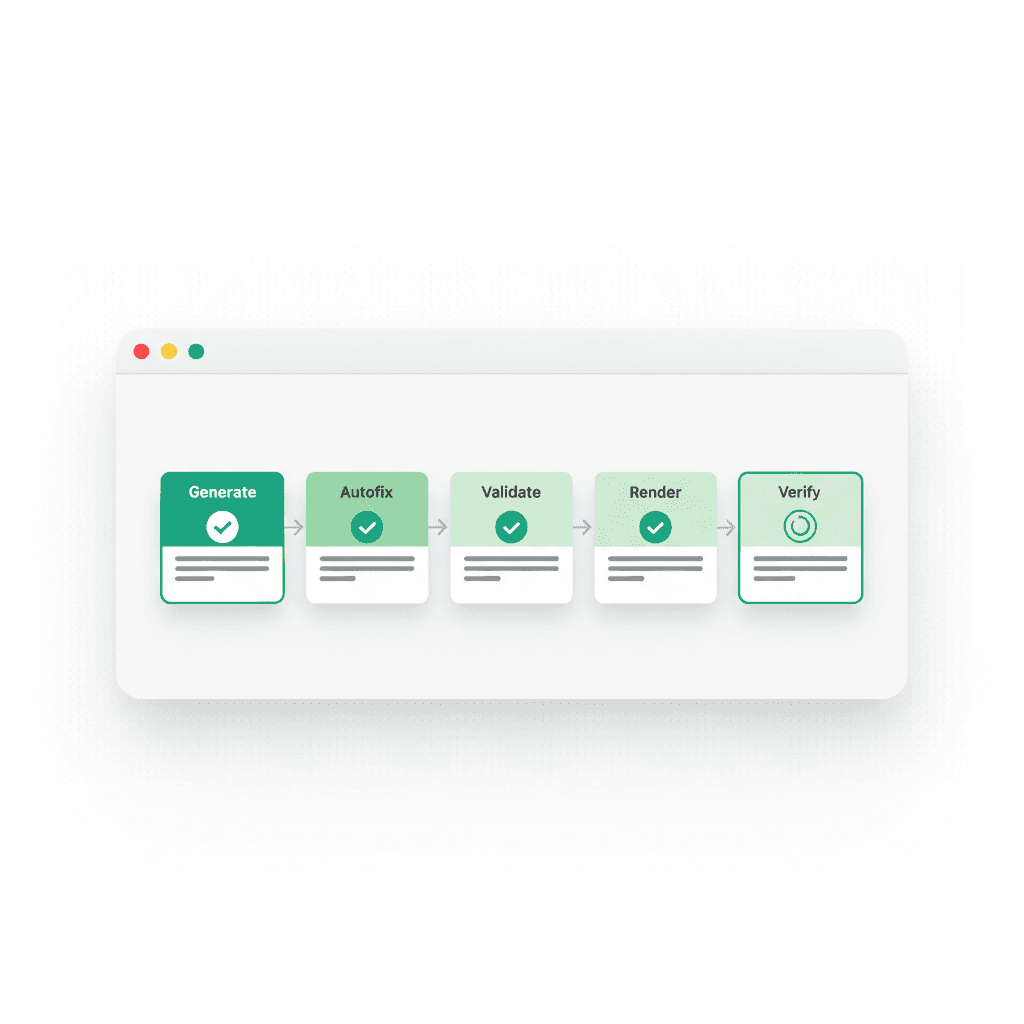
Passo 1: Geração de código. O modelo de IA transmite a resposta, produzindo ficheiros embrulhados em tags XML vulkAction. À medida que cada ficheiro fica completo, o VULK extrai o caminho e o conteúdo.
Passo 2: Atribuição de microVM. Os ficheiros vão para o serviço de pré-visualização (webapp.vulk.dev), que liga o teu projeto a uma microVM Firecracker de um pool pré-arrancado. Cada microVM é uma máquina virtual genuína — isolamento ao nível do hardware, não um contentor partilhado — com uma imagem rootfs adequada às necessidades do projeto (imagem web básica, imagem com capacidade 3D, ou imagem completa com dependências pesadas pré-instaladas).
Passo 3: Dependências e arranque do servidor. Dentro da VM, as dependências instalam-se contra camadas de node_modules pré-cacheadas — o passo mais lento de uma pré-visualização fria, reduzido a segundos nos stacks comuns. Para projetos React + Vite arranca o servidor Vite; para os outros stacks, o runtime apropriado.
Passo 4: Renderização em iframe. A aplicação em execução é proxied através de um URL único e mostrada num iframe no editor do VULK. Recebes a aplicação completa e a funcionar — não um render parcial.
Passo 5: Hot reload nas edições. Quando um prompt de follow-up modifica ficheiros, só os alterados são enviados para a VM. O hot module replacement do Vite atualiza o iframe sem reload completo — vês as alterações em menos de um segundo, normalmente sem perder o estado dos componentes.
Passo 6: Suspensão e retoma. As pré-visualizações inativas são suspensas para libertar recursos e retomadas a pedido — voltar a um projeto não significa reconstruí-lo de raiz.
Como pré-visualiza realmente cada plataforma?
Stacks diferentes passam por pipelines genuinamente diferentes — este é o mapa por plataforma:
| Plataforma | Mecanismo de pré-visualização | Latência típica |
|---|---|---|
| React + Vite | MicroVM Firecracker, servidor Vite, HMR | Segundos; hot reloads sub-segundo |
| Jogos Three.js | O mesmo pipeline microVM; o WebGL renderiza no canvas do teu browser | Como o React |
| Flutter | Build-then-serve: flutter build web num serviço de build dedicado |
~20–60s por build |
| PHP / Laravel | MicroVM com php-fpm 8.3 + nginx (ao vivo desde julho 2026) | Segundos |
| Python (FastAPI/Flask/Django/Streamlit) | MicroVM com comando de arranque auto-detetado (ao vivo desde julho 2026) | Segundos |
| React Native / Expo | ✅ Expo Go no teu dispositivo | Expo Go |
React Native + Expo usa o Expo Go para pré-visualização e testes em iOS e Android. As lojas e apps Shopify correm no ambiente Shopify com as suas ferramentas habituais.
Porque vence o server-side a compilação no browser?
O código de backend corre mesmo. As apps full-stack geradas pelo VULK incluem APIs reais e acesso a base de dados — e 62% de todas as apps geradas incluem um schema SQL (dados da plataforma VULK, julho de 2026). As sandboxes de browser não conseguem executar esse backend; simulam-no ou saltam-no. Na pré-visualização do VULK testas o fluxo inteiro: registo, login, criação de dados, chamadas API.
Sem limitações de sandbox. As ferramentas baseadas em browser emulam Node.js dentro de um Service Worker; alguns pacotes npm falham em silêncio, os módulos nativos não funcionam, o acesso ao sistema de ficheiros é restrito. Uma microVM é um ambiente Linux real — nenhuma dessas limitações existe.
Consistente entre dispositivos. O build corre no servidor, por isso um Chromebook barato e um MacBook Pro recebem performance de pré-visualização idêntica — e os browsers móveis, onde a compilação no browser vai de dolorosa a impossível, funcionam bem.
Isolamento ao nível do hardware. As microVMs Firecracker isolam na camada de virtualização — a mesma tecnologia que o AWS Lambda usa. O loop infinito de um utilizador não pode tocar na pré-visualização de outro, e uma VM que crashou é reciclada automaticamente.
Renderização fiel. O iframe carrega de um URL real servido por um servidor real — o que vês na pré-visualização corresponde ao que os utilizadores veem em produção.
O que vês durante a geração?
O VULK não te faz esperar que a geração inteira termine. A pré-visualização atualiza-se progressivamente: assim que os ficheiros base (index.html, main.tsx, package.json) existem, o servidor arranca; à medida que os ficheiros de componentes chegam, o file watcher dispara hot updates. Vês a app a construir-se em tempo real — primeiro o layout, depois os componentes, depois os estilos.
Esta renderização progressiva dá feedback cedo. Se a IA vai na direção errada, vê-lo em segundos e paras a geração em vez de esperar. E depois da geração, o render gate do VULK carrega essa mesma pré-visualização em execução numa instância Chromium real e chumba gerações que renderizam uma página em branco ou um error boundary — a pré-visualização não é só para os teus olhos, é parte da verificação.
O que acontece entre a pré-visualização e a produção?
A pré-visualização não é um build separado da tua app — é o mesmo código a correr num ambiente de desenvolvimento. Quando clicas em Deploy, o VULK pega nesse mesmo código, corre um build de produção (vite build) e publica a saída em o-teu-projeto.vulk.space em 10–30 segundos. O que testaste é o que os teus utilizadores recebem, mais minificação, tree shaking e otimização de assets.
FAQ
A pré-visualização é uma app real em execução ou uma simulação?
Uma app real em execução. O teu código executa dentro de uma microVM Firecracker — uma máquina virtual isolada com kernel próprio — a correr um servidor Vite real (ou php-fpm, ou uvicorn, conforme o stack). O iframe no editor é uma janela para esse servidor vivo.
Com que rapidez aparecem as edições na pré-visualização?
Para projetos React + Vite, menos de um segundo: só os ficheiros alterados são enviados para a VM e o hot module replacement do Vite atualiza a app em execução sem reload, normalmente preservando o estado dos componentes. No Flutter, cada edição dispara um build fresco de ~20–60s.
Que plataformas posso pré-visualizar ao vivo?
React + Vite e Three.js usam pré-visualização web ao vivo. O Flutter usa uma pré-visualização web compilada. PHP e Python correm nos seus runtimes dedicados. React Native + Expo usa o Expo Go para pré-visualização e testes em iOS e Android. As lojas e apps Shopify correm no ambiente Shopify com as suas ferramentas habituais.
A pré-visualização também corre o meu backend e a base de dados?
Sim. As gerações full-stack correm a sua API e o acesso à base de dados no ambiente de pré-visualização, por isso login, registo e persistência de dados são testáveis antes do deploy — algo que as pré-visualizações em sandbox de browser estruturalmente não conseguem. 62% das apps do VULK incluem um schema SQL (dados da plataforma VULK, julho de 2026), portanto este é o caso comum, não o caso limite.
Porquê não usar WebContainers como algumas outras ferramentas?
A compilação no browser limita o que pode correr (sem backend real, incompatibilidades de pacotes, problemas com Safari e mobile, uso pesado de memória). As microVMs server-side custam mais a operar mas correm tudo, em qualquer dispositivo, com isolamento ao nível do hardware.
Consulta os planos e as condições atuais na página de preços. Consultar os preços da VULK
Vê a tua próxima ideia a correr antes de o café arrefecer: vulk.dev.