
What is the best 3D website builder in 2026?
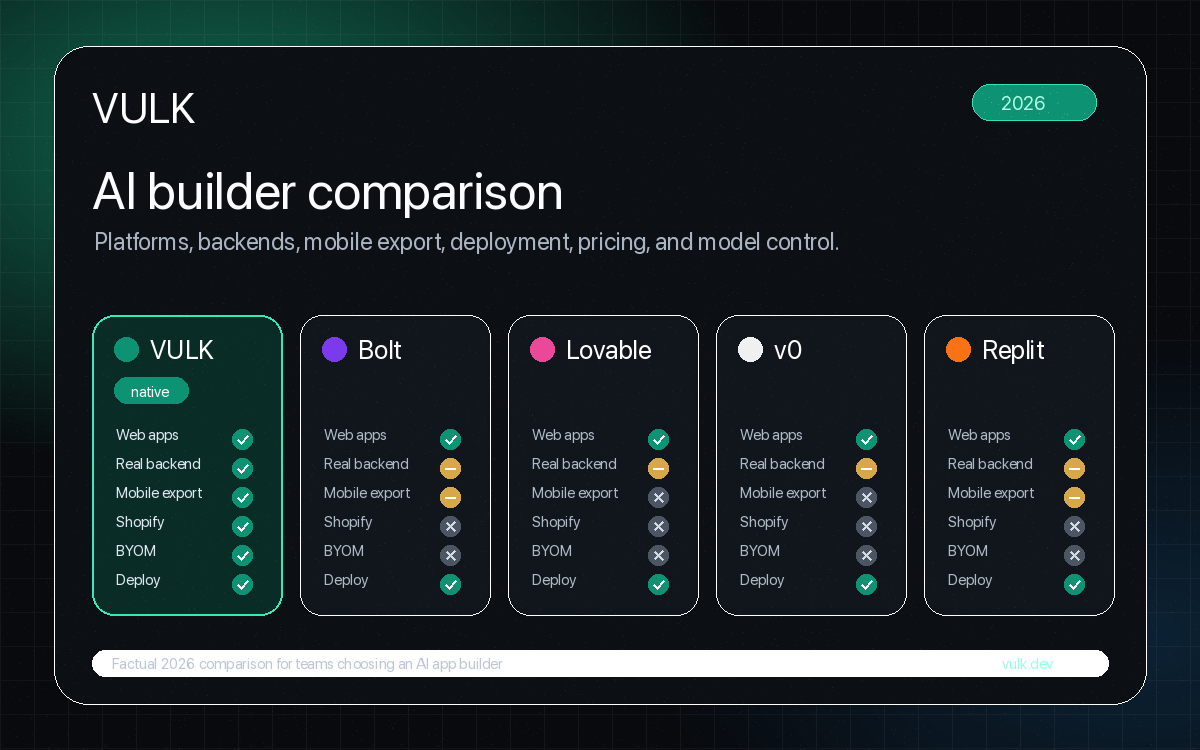
Short answer: Spline if you're a designer who wants a visual 3D editor. Unicorn Studio if you want WebGL shader effects without code. Womp for approachable 3D modeling in the browser. Vectary for product configurators and AR. Framer + Spline embeds if your site already lives in Framer. VULK — our product, disclosure below — if you want to describe a 3D experience in text and get deployable Three.js / React Three Fiber code you own.
Disclosure: VULK is our product. We're the only tool in this list that generates 3D as code rather than in a visual editor, which makes us structurally different. All pricing verified on July 17, 2026.
Comparison table: 6 ways to build 3D websites
| Tool | Approach | Starting price | Code ownership | Output |
|---|---|---|---|---|
| VULK | Prompt → Three.js/R3F code | View VULK pricing | Full — exportable source | Deployable app (Cloudflare) |
| Spline | Visual 3D editor | Free → Starter $12/mo (annual) | None — proprietary format | Embed / export viewer |
| Framer + Spline | Site builder + 3D embeds | Framer free → $10/mo + Spline | None | Hosted Framer site |
| Womp | Browser 3D modeling (SDF) | Free → Pro $9.99/mo (annual) | Mesh export (GLB/STL) | Models, renders, embeds |
| Vectary | 3D/AR design platform | Free → Pro $15/mo (annual) | Limited — viewer embeds | Configurators, AR views |
| Unicorn Studio | No-code WebGL effects | Free (10 publishes) → $20/mo | Export on paid plan | Shader effects, embeds |
The structural split: five of these are visual editors where you design 3D scenes by manipulating objects. VULK generates code — you describe the scene ("a rotating product showcase with orbit controls and studio lighting") and get React Three Fiber source you can edit, version, and deploy. Visual editors are better for designers who want WYSIWYG control. Code generation is better for developers who want ownership and integration into a real app.
When should you use each tool?
VULK — best for developers who want 3D as code
What it is: Text-to-Three.js generation inside a full app builder. You describe the experience; VULK generates a React + Vite app with React Three Fiber scenes, previews it live in a server-side microVM (works on Safari and mobile, since rendering happens in a real browser environment), and deploys to Cloudflare in one click.
Pros:
- Full source code ownership — export via ZIP or GitHub, no proprietary format
- 3D lives inside a real app: add auth, a PostgreSQL backend, routing, payments around it
- Iteration by prompt: "make the camera orbit slower, add bloom" and regenerate in seconds
- Team-friendly: code review, version control, standard React tooling
See current plans and conditions on the pricing page. View VULK pricing
Verdict: The only option here where the 3D output is production application code.
Spline — best visual 3D editor for the web
What it is: The category-defining browser 3D design tool. Model, animate, add interactions, publish as embed or viewer — no code required.
Pros: True WYSIWYG; beautiful material/lighting defaults; timeline animation; team collaboration; huge template and tutorial ecosystem; AI texture and generation features.
Cons: Proprietary format — you can't take the scene as editable code; runtime bundle can be heavy on low-end devices; complex interactions hit the ceiling of a visual tool; you still need somewhere to host the surrounding site.
Pricing: Free tier; Starter $12/mo (annual, $15 monthly); Professional $20/mo (annual, $25 monthly).
Verdict: For designers, Spline remains the default answer in 2026 — deservedly. Its trade is convenience for ownership.
Framer + Spline embeds — best for marketing sites already on Framer
What it is: Not one tool but the most common 2026 pattern: build the site in Framer, drop Spline scenes in as embedded components.
Pros: Best-in-class marketing-site workflow; scroll and cursor interactions between page and 3D scene; designers ship end-to-end without engineers.
Cons: Two subscriptions; embed performance costs add up (each Spline embed loads its own runtime); no code ownership on either side; not an application platform — this is for sites, not apps.
Pricing: Framer from $10/mo (annual) plus Spline's tier.
Verdict: If your deliverable is a beautiful marketing page with 3D accents, this combination is hard to beat. If your deliverable is software, it isn't the right shape.
Womp — best approachable 3D modeling in the browser
What it is: Browser-based 3D modeling using SDF (goopy, blobby, CAD-free modeling), with rendering, AI generation features, and even a 3D-print-and-ship service.
Pros: Genuinely beginner-friendly modeling — the easiest on this list; free forever tier; GLB/STL export means your models are portable even though the editor is proprietary; cheap Pro tier.
Cons: It's a modeling tool, not a website builder — you still need Spline, Three.js, or a viewer to put results on a site; not built for complex interactive scenes.
Verdict: The best on-ramp to 3D creation, and a great asset pipeline for models you'll use elsewhere (including in VULK or hand-written Three.js).
Vectary — best for product configurators and AR
What it is: 3D and AR design platform aimed at product teams — configurators, AR previews (USDZ/WebXR), design-tool integrations (Figma plugin).
Pros: Strongest AR story in this list; product configurator workflows are first-class; Figma integration; browser-based collaboration.
Cons: Viewer embeds, not code export; less general-purpose than Spline for arbitrary creative scenes; advanced features push you to higher tiers.
Pricing: Free tier; Pro $15/mo (annual, $19 monthly).
Verdict: If the job is "let customers spin, configure, and AR-preview our product," Vectary is purpose-built for exactly that.
Unicorn Studio — best no-code WebGL effects
What it is: A no-code editor for WebGL shader effects — interactive gradients, distortion, particles, cursor-reactive backgrounds — publishable as embeds for Framer, Webflow, or any site.
Pros: Effects that previously required a shader programmer, now sliders; 70+ effects on the free tier; code export and 3D model support on the paid plan; tiny learning curve relative to GLSL.
Cons: It's an effects layer, not a scene builder — no full 3D scenes or product models; free tier watermarks public URLs and blocks commercial use.
Pricing: Free (10 publishes, non-commercial); Legend $20/mo (or $168/year).
Verdict: The fastest way to make a flat site feel alive. Pair it with any site builder; it's complementary to everything else here.
Should you still hand-code Three.js in 2026?
For most product and marketing work: no. Hand-coding a non-trivial scene takes days and requires WebGL, GLSL, and scene-graph expertise. It still wins for performance-critical work (games, 100k+ polygon scenes at 60fps, custom shaders) — and it's free and lock-in-free. The middle path is generating the Three.js starting point with VULK and hand-tuning from there, since the output is standard React Three Fiber code, not a black box.
FAQ
What is the difference between a 3D website builder and a 3D modeling tool?
Modeling tools (Womp, Blender) create 3D assets. Website builders (Spline, VULK, Vectary) put interactive 3D on a page — handling rendering, interaction, and embedding/deployment. You often need both: model in one, publish in the other.
Can I get real Three.js code from a visual 3D editor?
Generally no. Spline, Vectary, and Womp keep scenes in proprietary formats and give you embeds or viewer exports. Unicorn Studio exports code on its paid plan for effects. VULK is the reverse: it produces code — React Three Fiber source you can edit and version.
Do 3D websites hurt performance and SEO?
They can. WebGL runtimes cost 100KB–1MB+ of JavaScript, and each embedded scene loads its own runtime. Mitigations: lazy-load scenes below the fold, use one runtime instead of several embeds, provide static fallbacks for crawlers and low-end devices. Code-level output (VULK, hand-written Three.js) gives you the most control over loading behavior.
Which tool is best for a complete beginner?
Womp for modeling (easiest learning curve), Unicorn Studio for effects (sliders, not shaders). Spline is approachable but is real 3D software — expect a learning curve for lighting and materials.
Which 3D website builder is cheapest?
See current plans and conditions on the pricing page. View VULK pricing
Can AI really generate a usable 3D scene from text?
Yes. VULK generates working React Three Fiber scenes — geometry, materials, lighting, camera behavior, interactions — from a text description, and you refine by follow-up prompts or by editing the code. AI gets you a working scene in minutes.
How current is the pricing here?
All prices verified July 17, 2026 on vendor pricing pages. Annual-billing prices are quoted where vendors lead with them; monthly billing typically costs 20–30% more.