What is the best 3D website builder for 2027?
Pick by what you need to hold at the end. VULK if you want to describe a site and get its source code. Spline if you want to place and animate a 3D scene by hand. Framer if your site is mostly layout and a designer keeps editing it. Womp if you need to model objects first. Vectary if you are presenting a product in 3D or AR.
We would start with VULK for a site with several pages and 3D inside them, because you get all of it from one description. We would start with Spline for one hero scene where every object has to sit in an exact spot.
Disclosure: VULK is our product, so weigh our view of it accordingly. We read each vendor's own pages on November 4, 2026, for a project you start now and ship in 2027. We did not run a controlled benchmark across the five tools.
The five tools side by side


Prices as each tool's pricing page showed them on November 4, 2026, in the currency it showed. Follow a link to check today's price.
We could not read Vectary's plan prices from its page, so we link to it and quote none.
VULK: describe the site and own the source
You write what the site should do. VULK generates a React and Vite project with its 3D scenes in Three.js, shows you a live preview, and takes follow-up requests such as "slow the camera down" or "open the product when I scroll". You can publish to a live address or take the source with you.
The projects below are all generated by VULK. Each one has its own page in the showcase.
Choose it when the 3D sits inside a real site or app. You can add a database, sign-in and an API to the same project, and you can read and change the code.
Where the others win: describing a scene is slower than dragging an object when you already know where it goes. Results also differ from one run to the next, so review what you get before you publish.
Spline: build the scene by hand
Spline calls itself "a free 3D design tool in the browser". You place objects, set materials and animate them yourself, then publish the scene to the web or embed it in a React project. Its plans list code export and GLTF, USDZ and STL export from Pro upward ($25 per seat per month, billed yearly, on November 4, 2026).
Choose it when a designer wants direct control of one scene. It beats a prompt for that job, because you move the object yourself and see it land. You still need a site around that scene, plus somewhere to host it.
Framer: a site builder with the 3D brought in
Framer builds and hosts websites, and its plans start at $10 per month for Basic. Its pricing page lists no 3D output, so confirm how you would add a scene before you choose it.
Choose it when your site is mostly layout and copy, and a designer changes it every week. In a visual editor that person fixes a heading without asking anyone.
Womp: make the object first
Womp describes itself as "free, browser-based 3D modeling software". You model objects and can order them as physical prints. It is a modeling tool, so you place the result on a website with something else.
Choose it when the hard part is the object, or you want to hold it: Womp ships prints, and a website builder has nothing to offer there. You then place that model on a site with another tool.
Vectary: show a product in 3D and AR
Vectary describes "an online design platform for developing concepts with AI and creating interactive 3D presentations and AR experiences". It imports GLB, OBJ and STL, and also STEP and IGES, the formats engineers tend to export from CAD. You share the result as a presentation or embed.
Choose it when the page exists to present one product that already exists as a CAD file, and AR matters to the people viewing it.
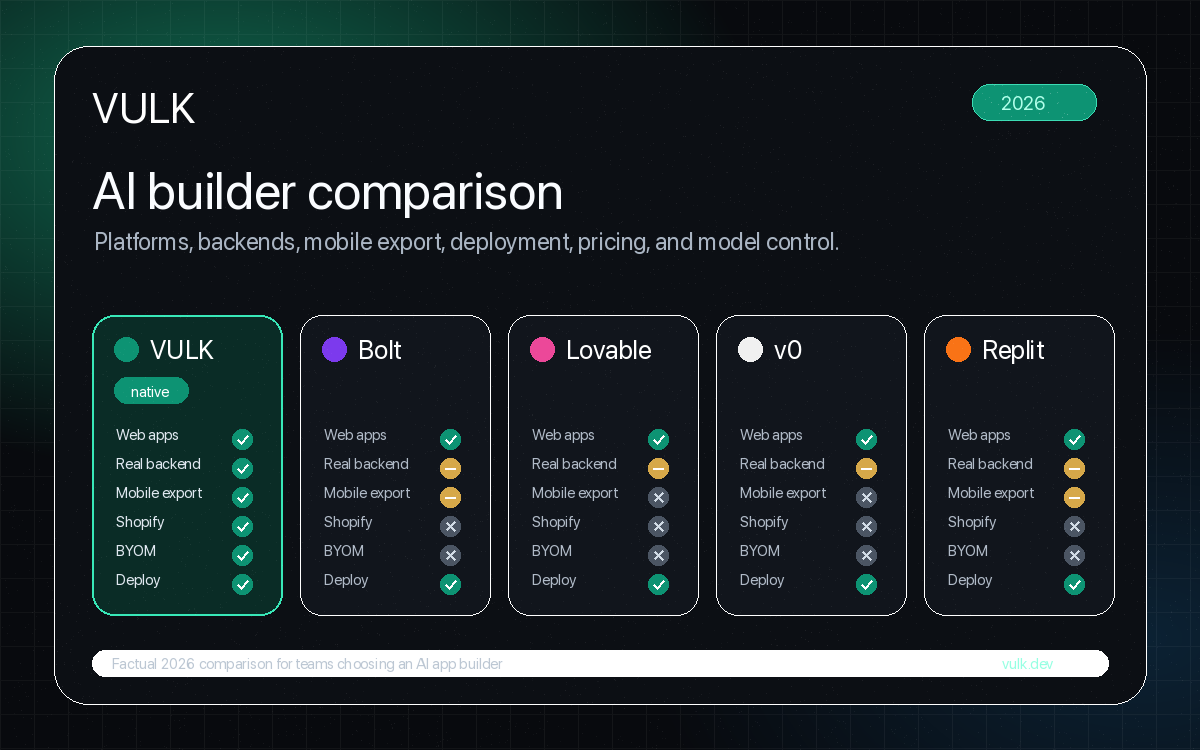
Can Lovable, Bolt, v0, Replit or Base44 make a 3D website?
Some of them say so on their own pages. We read each vendor's documentation on November 4, 2026, and asked three questions: does it mention 3D, can you publish from it, and can you take the code. A blank in the vendor's pages does not mean the tool cannot do it, so we write "not stated" there.


Prices as each tool's pricing page showed them on November 4, 2026, in the currency it showed. Follow a link to check today's price.
Replit and Lovable say the most about 3D, and both let you publish without paying first. If you already build your app in one of them, try your 3D scene there before you move. VULK's difference is that 3D is a main path in the product: the showcase holds 3D sites generated on it, and 3D Studio makes objects you can download.
Can ChatGPT, Claude or Gemini build a 3D website?
They can write Three.js code in a chat, and you can paste that code into a page. What you get around the code differs:


Prices as each tool's pricing page showed them on November 4, 2026, in the currency it showed. Follow a link to check today's price.
A chatbot suits one scene that you want to try in an afternoon, and Claude and Gemini can share it as a link. For a site with several pages, your own address and models you load from files, you take the code to a project and a host yourself. That is the work a website builder does for you.
Spline, Vectary or Sketchfab: which one for embedding 3D on a website?
All three let you put a 3D scene or model on a page you already have. The difference is what you start from.
- Spline gives you a
<spline-viewer>embed that works in Framer, Webflow, Squarespace, React or plain HTML, and it exports code for Three.js and React Three Fiber. For AR, you export a USDZ file and open it on an iPhone or iPad. Pick it when you design the scene yourself. - Vectary gives you an iframe embed code and states AR on iPhone and Android. Pick it to present a product, above all one that starts as a CAD file.
- Sketchfab is a place to publish and find 3D models. You can embed a model on any HTML site with an iframe or its Viewer API, and you can download free models under Creative Commons licenses. Its lowest paid plan, Pro, was $15 per month billed yearly on November 4, 2026. Pick it when the model already exists and you only need a viewer.
What if you only need the 3D object?
Separate two jobs. A 3D website is pages with scenes in them. A 3D object is one file that you open somewhere else.
VULK 3D Studio makes objects you can download as GLB, OBJ, STL or USDZ. On November 3, 2026, we exported 13 files from it and opened them in Blender 4.5 LTS on macOS: 4 GLB, 3 OBJ, 3 USDZ and 3 STL. All 13 imported with their geometry. GLB and USDZ came in with their texture maps linked, OBJ with a color texture, and STL with none, because the format carries no materials. Blender is the only program we have tested so far.
FAQ
What is the difference between a 3D website builder and a 3D modeling tool?
A modeling tool makes the object. A website builder puts interactive 3D on a page and publishes it. Many projects use both: you model in Womp, or generate an object in VULK 3D Studio, then place it on a site.
Can I get real code out of a 3D website builder?
Yes, from some of them. VULK generates the whole project as source code. Spline lists code export on its Pro plan and above. Check the plan you would actually pay for, because export often sits above the entry tier.
Do 3D websites hurt SEO and speed?
They can, because the 3D code adds weight to the page. Your text, headings and links stay crawlable as long as they live in the HTML and not inside the canvas. Load the scene after the first paint, show a still image until it is ready, and test on a mid-range phone.
Can AI generate a usable 3D website from text?
Yes. The videos above show projects VULK generated. You will get better results if you name the objects, the materials, the camera movement and what should happen when someone scrolls or clicks. Our guide on how to build a 3D website with AI has complete prompts you can copy, and the AI 3D website builder page has more examples.
How current are these prices?
We read them on the vendors' pages on November 4, 2026, in US dollars. Taxes, promotions and regional prices can differ, so follow each link before you buy. VULK's current plans are on the pricing page.