
Updated July 17, 2026 — refreshed with verified platform data on how many AI-generated apps actually get real backends.
How does VULK generate a backend automatically?
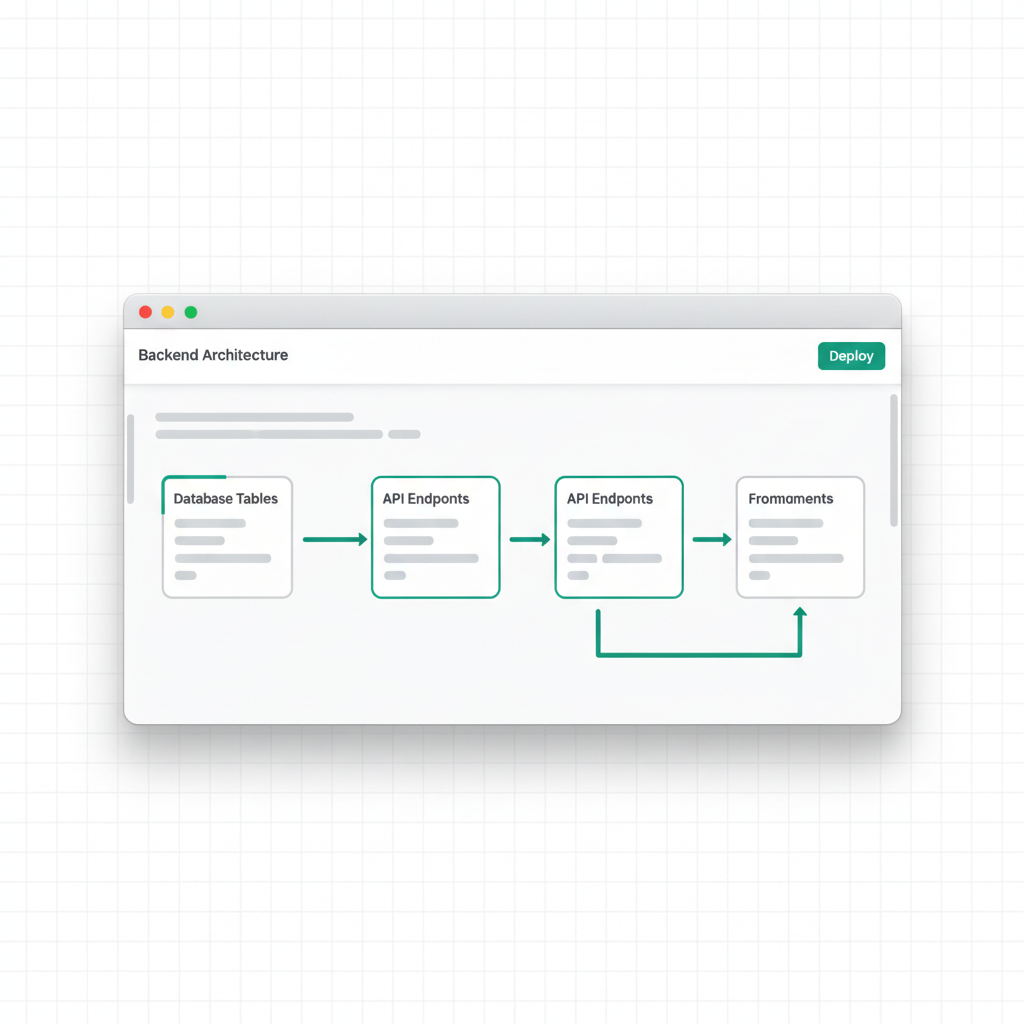
The complete answer: VULK reads your prompt for backend signals — accounts, saved data, admin panels, APIs — and when it finds them, it generates a full server-side application alongside your frontend: a relational database schema (tables, foreign keys, indexes, constraints), RESTful CRUD endpoints for every entity, JWT-based authentication with bcrypt password hashing, and a frontend already wired to those endpoints with tokens, loading states, and error handling. No Supabase account, no Firebase project, no external setup — the backend deploys on VULK's infrastructure with your app (Builder plan and up).
This matters because "AI app builders make UI toys" is now a myth, and the data proves it: 62% of all apps generated on VULK include a SQL database schema, and 27% get a provisioned backend — a live API plus hosted database. SQL is the #3 most-generated file type on the platform at 6.1% of 124,755 files, behind only TypeScript and JSON (VULK platform data, July 2026, N = 11,355 projects). Most "vibe-coded" apps are data applications, not static pages.
What's wrong with frontend-only AI builders?
Most AI code generators give you a React app with hardcoded data. The login form looks nice but does not authenticate anyone. The dashboard shows charts with static JSON that never changes. The "Save" button triggers a toast notification but saves nothing.
I built VULK's backend generation because I was tired of seeing this pattern. A frontend without a backend is a prototype, not an application. And if you are paying for an AI code builder, you should get something that actually works.
When your prompt describes functionality that requires a backend -- user accounts, saved data, API endpoints, admin panels -- VULK generates the backend automatically. Not a mock. A real backend with a relational database, API routes, authentication, and schema migrations. The login form actually logs you in. The data actually persists. The API endpoints actually respond.
How does backend detection work?
You do not need to say "generate a backend." You describe what you want, and VULK determines whether a backend is needed based on signals in your prompt.
| Signal type | Trigger words | What it activates |
|---|---|---|
| Authentication | "login," "signup," "user accounts," "admin panel," "roles and permissions" | Auth system: register/login endpoints, JWT middleware, protected routes |
| Data persistence | "save," "store," "database," "CRUD," "records," "history" | Database schema + CRUD API generation |
| API | "API," "endpoint," "webhook," "REST," "fetch from server" | Route generation, even without explicit database mentions |
The detection is intentionally conservative. VULK does not add a backend to a simple landing page or a static portfolio. It only activates when your prompt genuinely requires server-side functionality. The platform-wide split reflects this: 62% of apps get a schema, while the rest — portfolios, landing pages, games — stay genuinely frontend-only (VULK platform data, July 2026).
Why PostgreSQL and not Supabase, Firebase, or MongoDB?
I get asked about this decision a lot, and I want to be transparent about the reasoning.
Why not Supabase or Firebase? Because they are third-party services that create external dependencies. If I generated code that requires a Supabase project, you would need to create a Supabase account, set up a project, configure environment variables, and manage another service. That breaks the "one prompt, working app" experience. VULK's backend runs on our infrastructure with zero external setup. (If you want your own Supabase, that exists as an opt-in integration on Pro+ — you connect your keys and the agent works against your real project. It is just never forced on you.)
Why not MongoDB? Because most applications that VULK users build are relational. Tasks belong to projects. Projects belong to users. Orders contain order items. Products have categories. These are naturally expressed as tables with foreign keys, not as document collections. MongoDB is great for specific use cases, but for the breadth of applications VULK generates, relational databases produce cleaner, more maintainable code.
Why PostgreSQL specifically? It is the most capable open-source relational database. Full ACID compliance, excellent JSON support for when you need flexibility, robust indexing, and a massive ecosystem. It is what I would choose for a production application, so it is what VULK generates.
What exactly gets generated?
When backend generation triggers, VULK produces a complete server-side application alongside your frontend. Here is what each layer includes.
Database schema. Complete SQL tables with columns, types, constraints, indexes, and relationships. A users table gets id, email, password_hash, name, created_at, and updated_at. Posts get a foreign key to users. Every table gets a primary key, timestamps, and indexes on columns used in queries.
The column is called password_hash -- never password. This is a deliberate security decision that I enforce in the prompt engineering. Passwords are hashed with bcrypt on registration and compared on login. The column name itself makes the intent unambiguous.
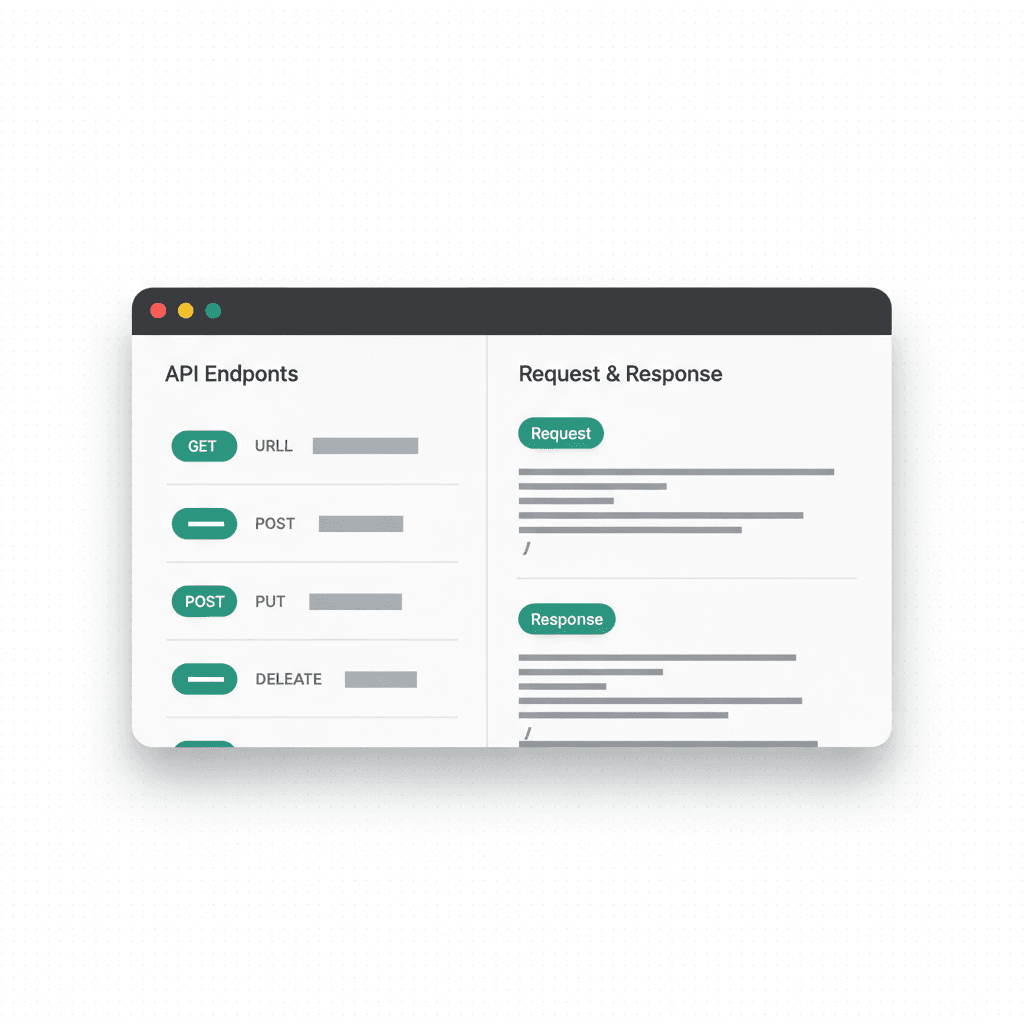
API endpoints. RESTful routes for every entity in your schema. A posts table generates GET /api/posts (list with pagination), GET /api/posts/:id (single record), POST /api/posts (create), PUT /api/posts/:id (update), and DELETE /api/posts/:id (delete). Each endpoint includes input validation, error handling, and appropriate HTTP status codes.
Authentication system. Registration (POST /api/auth/register) and login (POST /api/auth/login). Registration hashes the password with bcrypt and stores it. Login compares against the hash and returns a JWT. Protected routes verify the JWT via middleware.
Frontend integration. This is the part that makes it feel complete. The React frontend is generated with API calls already wired up. Fetch calls point to the correct endpoints. Auth tokens are stored and attached to requests. Loading states and error handling are included. The login form actually authenticates. The registration form actually creates an account. Saved data actually persists across sessions.
What do real backend generations look like?
Task management app: "Build a task management app where users can create an account, log in, create projects, and add tasks to projects. Tasks have title, description, priority, due date, and status. Users can only see their own projects."
This generates: users table, projects table with user_id foreign key, tasks table with project_id foreign key, auth endpoints, CRUD for projects and tasks, authorization middleware that filters by user_id.
E-commerce store: "Create an online store for selling handmade ceramics. Admin can add products. Customers can browse, add to cart, and place orders. Order history is saved to the user account."
This generates: users table with a role column, products table, orders table, order_items junction table, role-based access control, admin-only endpoints for product management, customer endpoints for browsing and ordering.
These two examples are not cherry-picked exotica — dashboards/admin panels (12.5%), e-commerce (4.5%), and booking systems (3.4%) are the top backend-shaped categories people actually generate (VULK platform data, July 2026).
How good is the generated database schema?
I care about schema quality because bad schemas create bad applications. Here is what VULK enforces:
Primary keys use auto-incrementing integers for simplicity. UUID is available for specific use cases.
Foreign keys include ON DELETE CASCADE where appropriate (deleting a user deletes their posts) and ON DELETE SET NULL where orphaned records should survive (deleting a category does not delete products).
Indexes are created on foreign key columns, email columns (for login lookups), and any column used in WHERE or ORDER BY clauses. This is not an afterthought -- the generated indexes match the generated queries.
Timestamps (created_at, updated_at) are on every table.
Enums and constraints are used for bounded values. A task status is constrained to specific values, not arbitrary strings.
Which security patterns are built in?
Here is what most people get wrong about generated code: they ship it without thinking about security. VULK's backend generation includes security patterns by default because shipping without them creates real vulnerabilities:
- Password hashing with bcrypt (never plaintext)
- Parameterized queries (never string concatenation in SQL)
- JWT verification middleware on protected routes
- Input validation on all endpoints (type checking, required fields, length limits)
- CORS configuration limiting origins to the frontend domain
- Rate limiting on auth endpoints to prevent brute force
- User-scoped queries ensuring users only access their own data
These are not optional add-ons you enable. They are part of the default output because I believe generated code should be secure by default.
When is automatic backend generation the right choice?
It works best for standard data-driven applications: task managers, CRM tools, inventory systems, blogs, e-commerce stores, booking platforms, dashboards. These follow patterns that the AI models handle well, and the generated code is clean, readable, and maintainable.
It is less suited for applications with exotic requirements: real-time collaboration with operational transforms, complex financial calculations, or integration with obscure third-party APIs. For those, generate the standard parts with VULK and implement the specialized parts manually.
Every generated file is readable and modifiable. No proprietary runtime hidden from you, no framework lock-in on the code you write against. If you outgrow the generated backend, you export the source and refactor it like any other application.
That is the principle I build around: VULK should accelerate your development, not trap you in a walled garden.
FAQ
Do I have to configure anything for the backend to work?
No. Detection, schema generation, API deployment, and frontend wiring are automatic. There are no environment variables to set, no third-party accounts to create, and no dashboard to configure before your login form works. Backend + database deployment is included from the Builder plan ($19.99/mo) up.
Can I see and export my database data?
Yes. The editor's Backend panel includes a table browser, a SQL query runner, and per-table CSV export (full table, not just the visible page). The schema.sql also ships inside the source ZIP export.
Can I connect my own Supabase or external backend instead?
Yes, as an opt-in integration on Pro plans and above: add your keys in Settings → Integrations and the agent reads and writes against your real Supabase project. By default, though, generated apps use VULK's built-in backend so that one prompt yields a working app with zero external setup.
What happens if I export the code — does the backend come with it?
The frontend export is fully portable (standard Vite + React + TypeScript that runs anywhere). The backend API and hosted database continue running on VULK's infrastructure; the exported source calls them over HTTPS. Self-hosting a full-stack app means re-implementing the backend — we are upfront about that boundary.
How many AI-generated apps actually use a backend?
On VULK: 62% of apps include a SQL schema, 27% run a provisioned backend (live API + hosted database), and SQL is the #3 generated language at 6.1% of all files (VULK platform data, July 2026). The "AI apps are static toys" era is over.
Is the authentication production-grade?
The generated auth uses bcrypt password hashing (in a password_hash column), JWT sessions, verification middleware on protected routes, and rate limiting on auth endpoints. For most apps that is a solid production baseline; add 2FA or SSO through iteration if your product needs them.
Start building at vulk.dev.