
Updated July 18, 2026 — rewritten around the current architecture: Firecracker microVMs, the Flutter build service, and the PHP + Python runtimes that went live in July 2026.
How does VULK render your app live?
The complete answer: as the AI streams generated files, VULK pushes them to a dedicated preview service that runs your app inside a Firecracker microVM — a real, isolated virtual machine with its own kernel, filesystem, and network, drawn from a warm pool so it attaches in seconds. Inside the microVM, a real Vite dev server runs your React app with hot module replacement; the running app is proxied to an iframe in the editor. Flutter apps go through a separate build-then-serve pipeline (flutter build web, ~20–60 seconds per build), and since July 2026 PHP and Python apps run live in their own microVM runtimes too.
This is not a simulation and not a browser sandbox: it is your actual application running on real server infrastructure, streamed to your screen. The speed is why the platform's defining number is possible — the median builder goes from signup to a running generated app in 47 seconds (VULK platform data, July 2026, N = 11,355 projects).
Why is preview the hard problem in AI app generation?
When an AI generator produces code, you need to see the result immediately. Most platforms take one of two approaches: a static screenshot, or compiling the code in the browser using tools like WebContainers or Sandpack. Both have significant limitations.
Static screenshots are obviously insufficient — you cannot interact with them, scroll, click buttons, or test functionality. Browser-based compilation is better but introduces its own problems: large downloads for the compilation toolchain, limited Node.js API support, no backend execution, slow cold compiles, heavy memory usage, and sandbox restrictions that break many npm packages.
VULK takes the third approach: server-side preview on isolated microVMs. It costs more to run — you need real infrastructure instead of the user's browser — but it is the only approach where "the preview works" reliably means "the app works."
What happens between generation and a visible app?
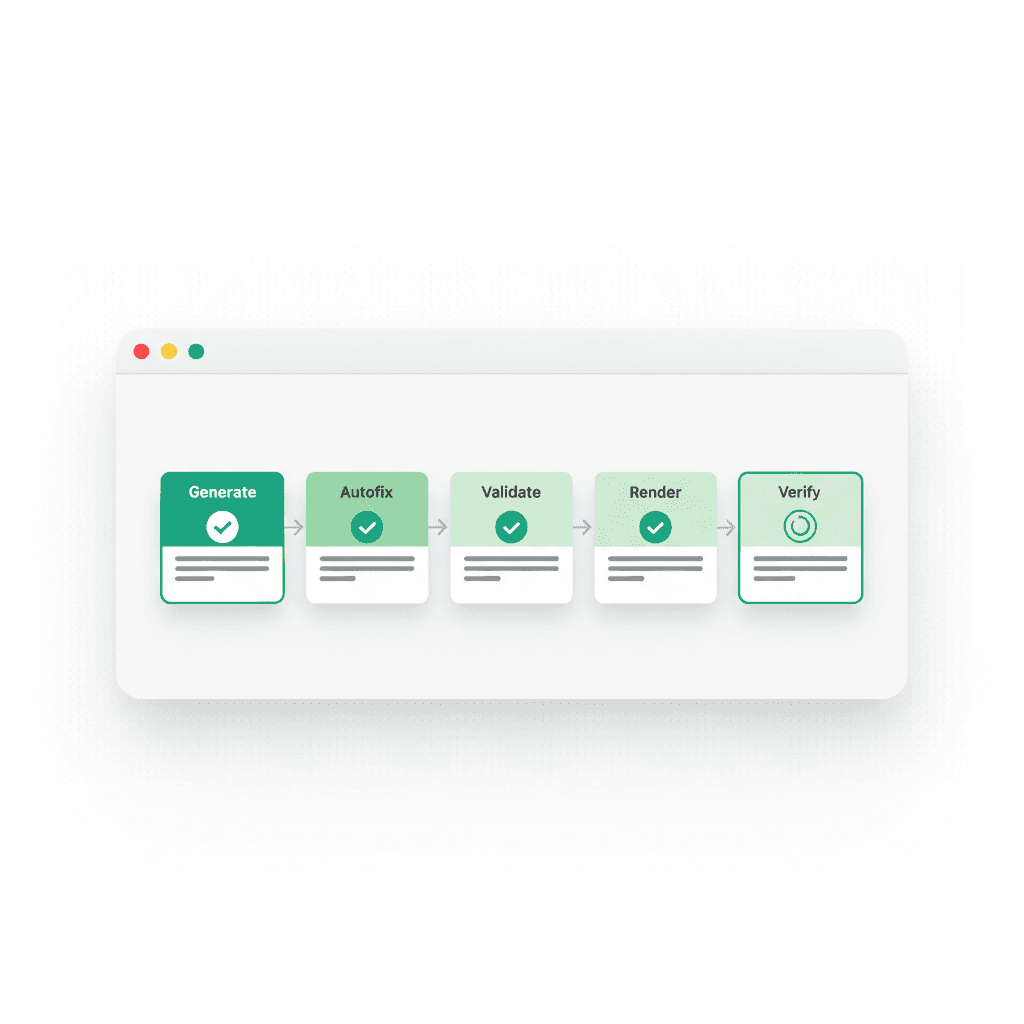
Step 1: Code generation. The AI model streams its response, producing files wrapped in vulkAction XML tags. As each file completes, VULK extracts the path and content.
Step 2: MicroVM assignment. Files are sent to the preview service (webapp.vulk.dev), which attaches your project to a Firecracker microVM from a pre-booted warm pool. Each microVM is a genuine virtual machine — hardware-level isolation, not a shared container — with a rootfs image matched to your project's needs (a basic web image, a 3D-capable image, or a full image with heavier dependencies preinstalled).
Step 3: Dependencies and server start. Inside the VM, dependencies install against pre-cached node_modules layers — the slowest step of a cold preview, cut to seconds for common stacks. For React + Vite projects, the Vite dev server starts; the platform-appropriate runtime starts for the other stacks.
Step 4: Iframe rendering. The running application is proxied through a unique URL and displayed in an iframe in the VULK editor. You get the full, running application — not a partial render.
Step 5: Hot reload on edits. When a follow-up prompt modifies files, only the changed files are pushed into the VM. Vite's hot module replacement updates the iframe without a full reload — you see changes in under a second, usually without losing component state.
Step 6: Suspend and resume. Idle previews are suspended to free resources and resumed on demand, so returning to a project does not mean rebuilding it from scratch.
How does each platform actually preview?
Different stacks run through genuinely different pipelines — here is the honest per-platform map:
| Platform | Preview mechanism | Typical latency |
|---|---|---|
| React + Vite | Firecracker microVM, Vite dev server, HMR | Seconds; sub-second hot reloads |
| Three.js games | Same microVM pipeline; WebGL renders in your browser's canvas | Same as React |
| Flutter | Build-then-serve: flutter build web on a dedicated build service |
~20–60s per build, no hot-reload |
| PHP / Laravel | microVM with php-fpm 8.3 + nginx (live since July 2026) | Seconds |
| Python (FastAPI/Flask/Django/Streamlit) | microVM with auto-detected start command (live since July 2026) | Seconds |
| React Native / Expo | ❌ No live preview — honest instructions panel; test via Expo Go on your device | — (in development) |
| Shopify (themes/apps/Hydrogen) | ❌ No live preview — requires Shopify's runtime; CLI workflow provided | — |
That last two rows matter. Metro-bundled React Native cannot run truthfully in a web preview, and Shopify code needs Shopify's admin and storefront runtime. Rather than faking those renders, the editor tells you exactly how to run them where they really run. A preview you cannot trust is worse than no preview.
Why does server-side beat browser-based compilation?
Backend code actually runs. VULK-generated full-stack apps include real APIs and database access — and 62% of all generated apps include a SQL schema (VULK platform data, July 2026). Browser sandboxes cannot execute that backend; they mock it or skip it. In VULK's preview you test the entire flow: registration, login, data creation, API calls.
No sandbox limitations. Browser-based tools emulate Node.js inside a Service Worker; some npm packages fail silently, native modules do not work, filesystem access is restricted. A microVM is a real Linux environment — none of those limitations exist.
Consistent across devices. The build runs on the server, so a budget Chromebook and a MacBook Pro get identical preview performance — and mobile browsers, where in-browser compilation is painful to impossible, work fine.
Hardware-level isolation. Firecracker microVMs isolate at the virtualization layer — the same technology AWS Lambda uses. One user's infinite loop or memory leak cannot touch another user's preview, and a crashed VM is recycled automatically.
Accurate rendering. The iframe loads from a real URL served by a real server — so what you see in preview matches what users see in production.
What do you see during generation?
VULK does not make you wait for the entire generation to finish. The preview updates progressively: as soon as the base files (index.html, main.tsx, package.json) exist, the dev server starts; as component files stream in, the file watcher triggers hot updates. You see the app building up in real time — layout first, then components, then styles.
This progressive rendering gives you early feedback. If the AI is going in the wrong direction, you see it within seconds and stop the generation instead of waiting. And after generation, VULK's render gate loads the same running preview in a real Chromium instance and hard-fails generations that render a blank page or an error boundary — the preview is not just for your eyes, it is part of verification.
What are the preview's limits?
Cold starts. Uncached dependencies can take 10–30 seconds to install on first generation. Subsequent runs in the same project reuse caches and are much faster.
Flutter has build latency. ~20–60 seconds per build (real flutter build web), and no hot-reload between builds — accurate rendering at the cost of iteration speed.
No native mobile rendering. Flutter previews as Flutter Web — functionally accurate, visually close, but final device testing belongs on a device. React Native has no in-editor preview at all yet.
Resource limits. Each microVM has CPU and memory caps for fair sharing; extremely heavy workloads (big dataset processing, complex simulations) can hit them.
Network isolation. Preview environments cannot call arbitrary external services, for security. Third-party API calls fail in preview and work after deploy.
What happens between preview and production?
The preview is not a separate build of your app — it is the same code running in a development environment. When you click Deploy, VULK takes that same code, runs a production build (vite build), and ships the output to Cloudflare Pages in 10–30 seconds. What you tested is what your users get, plus minification, tree shaking, and asset optimization.
FAQ
Is the preview a real running app or a simulation?
A real running app. Your code executes inside a Firecracker microVM — an isolated virtual machine with its own kernel — running a real Vite dev server (or php-fpm, or uvicorn, depending on stack). The iframe in the editor is a window onto that live server.
How fast do edits show up in the preview?
For React + Vite projects, under a second: only changed files are pushed to the VM and Vite's hot module replacement updates the running app without a reload, usually preserving component state. Flutter is the exception — each edit triggers a fresh ~20–60s build.
Which platforms can I preview live?
React + Vite, Three.js, Flutter (build-then-serve), and — since July 2026 — PHP/Laravel and Python (FastAPI, Flask, Django, Streamlit). React Native and Shopify projects generate complete code but preview through their own ecosystems (Expo Go, Shopify CLI); VULK shows honest instructions instead of a fake render.
Does the preview run my backend and database too?
Yes. Full-stack generations run their API and database access in the preview environment, so login, registration, and data persistence are all testable before deploy — something browser-sandbox previews structurally cannot do. 62% of VULK apps include a SQL schema (VULK platform data, July 2026), so this is the common case, not the edge case.
Why not just use WebContainers like some other tools?
Browser-based compilation limits what can run (no real backend, package incompatibilities, Safari and mobile issues, heavy memory use). Server-side microVMs cost more to operate but run everything, on every device, with hardware-level isolation. VULK is paid-only precisely because real infrastructure backs every preview — plans start at Builder $19.99/mo, with a 3-day intro from $3.99.
See your next idea running before your coffee cools: vulk.dev.